
Aethair software
Aethair Dashboards
Real-Time Air Quality Displays for Buildings
What it shows
The Status and the Numbers Behind It
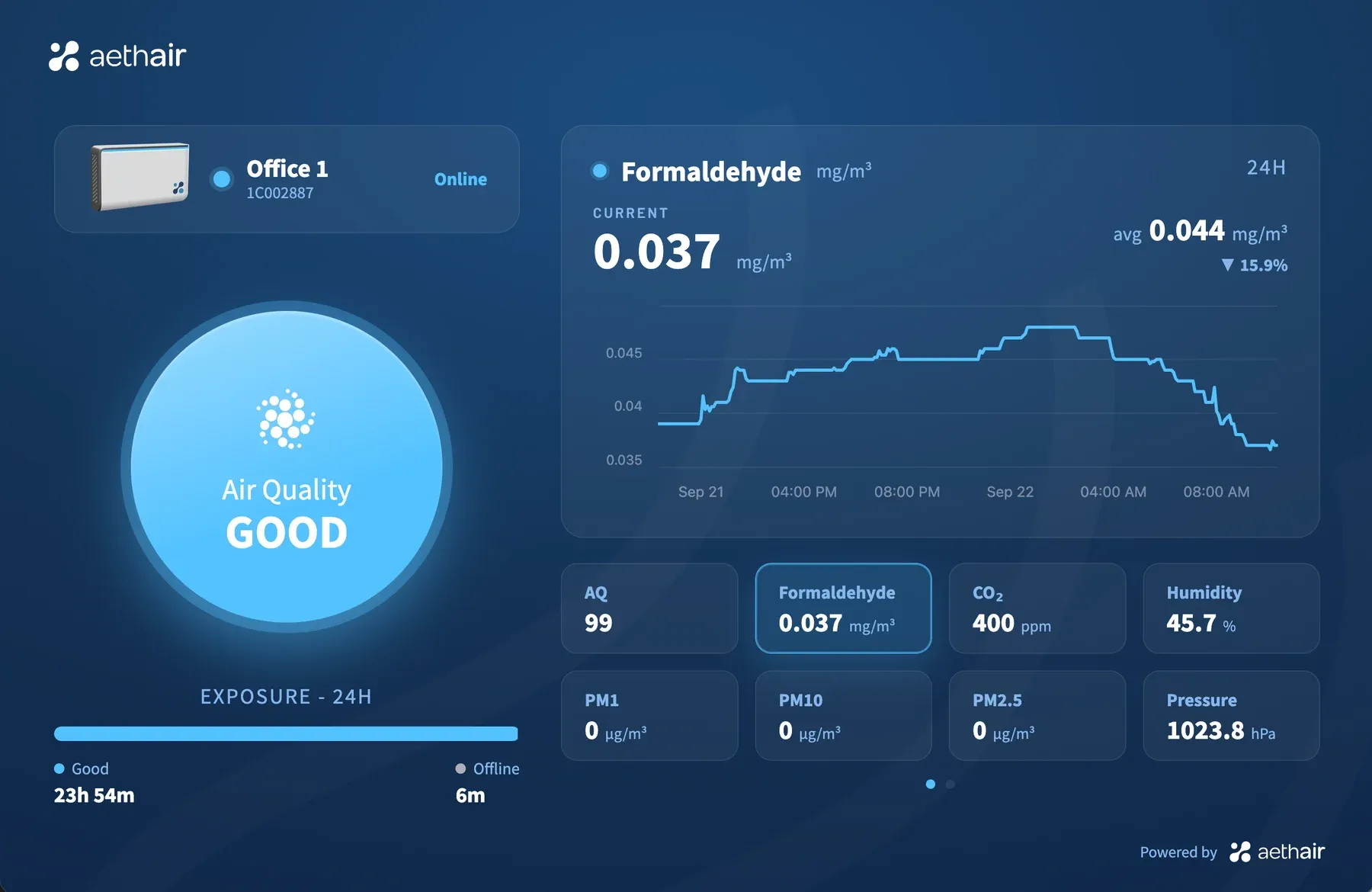
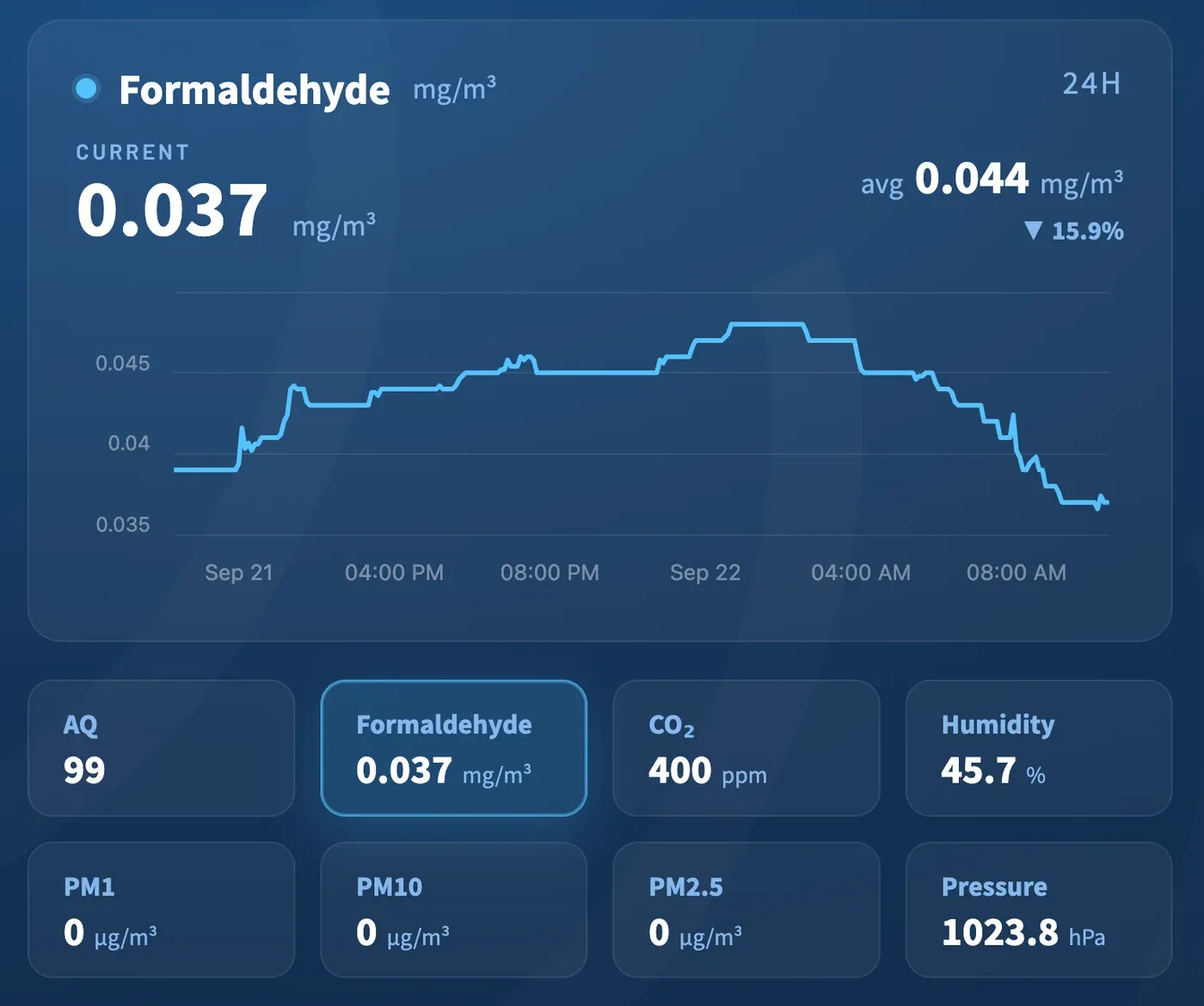
Each dashboard shows one device, so it leads with one status for the room that device is in, computed live from its readings, and a visitor understands the air without reading a number. The status is scored against the standard you select for the device; with none selected, Aethair Blue, Aethair's default indoor limit set, decides what reads Good, Moderate, or Poor. Behind it sit the parameters that drive the status, each on its own scale: CO₂, particulates, formaldehyde, humidity, and the rest of what the device measures, each with its own 24-hour trend. Devices report continuously, so the display shows the latest reading received.
Where it runs
A Screen, a QR Code, or a Link
The same dashboard, wherever the people are.
On a screen in the room
Any TV or digital display in a lobby, classroom, hospital ward, or conference room, showing the live status of that space.
On a phone, by QR code
Place an Aethair QR code in the room; a scan opens the live dashboard of that space on the phone. No screen to install.
On the web, for everyone
Publish a dashboard without a login for tenants, parents, or the neighbors of a work site. See a live example.
Publishing one
Published From the Device Page
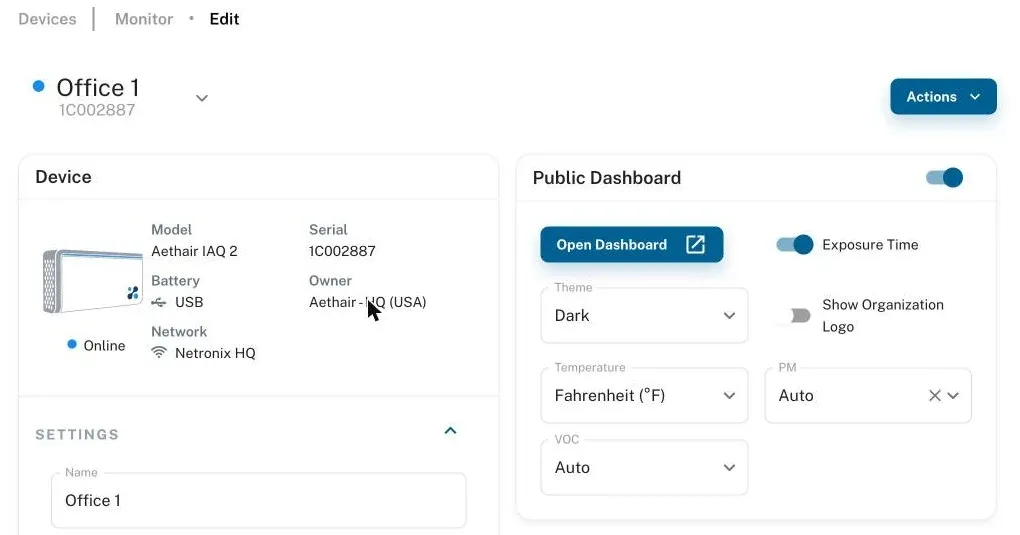
Switch the public dashboard on for a device and Environet gives you a read-only link that needs no login. Choose the theme, whether to show your organization's logo, and the units for temperature, particulates, and VOC. Switching it off revokes the link at once.
In use
Billy Penn Studios
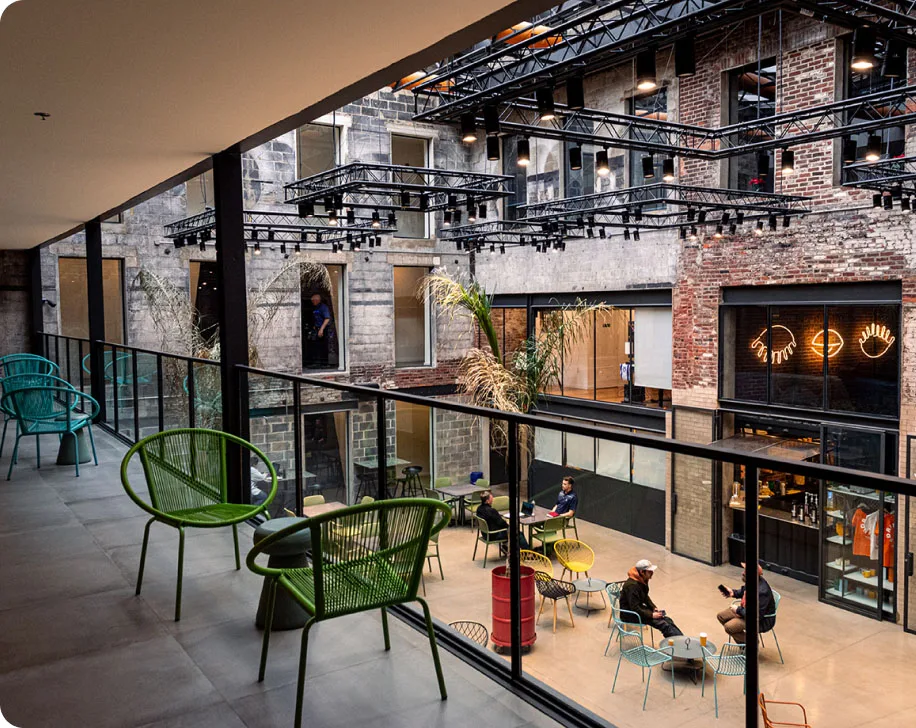
Billy Penn Studios, a converted industrial building in Philadelphia, monitors its spaces with Aethair IAQ and publishes the readings to tenants and the community.
“Given today's climate, with everyone's concern regarding air quality and filtration, I think that Aethair is going to provide a level of comfort to everyone who enters the building, as well as our tenants.” Toby Biddle, Billy Penn Studios building owner
Article Library
Reading on Sharing Air Quality Data
Guides where live readings are shown to occupants, tenants, and the public.
How Building Certifications Use Air Quality Monitoring
How WELL and LEED v5 incorporate air quality monitoring, why both frameworks are moving toward continuous performance, and what that means for building teams.
Workplace Air Quality Monitoring for Offices and Employers
How to monitor workplace air quality in offices, what to measure for employee health and focus, and how continuous connected monitoring documents the result.
WELL Building Standard Air Quality: CO2 & PM2.5 Limits 2026
WELL v2 air quality limits: PM2.5 at 15 µg/m³, formaldehyde at 50 µg/m³, CO2 at 900 ppm for ventilation monitoring, plus the monitoring WELL verifies.
Questions
Aethair Dashboards FAQ
How is this different from the dashboards in Environet?
Which limits decide Good, Moderate, or Poor?
How is a dashboard set up?
Show the Air You Breathe
See a live dashboardSchedule a call Aethair IAQ Aethair PRO Billy Penn Studios case study