
Aethair software
Aethair Reports
Automated Air Quality and Environmental Compliance Reporting
What a report is
The Standard, the Thresholds, the Readings
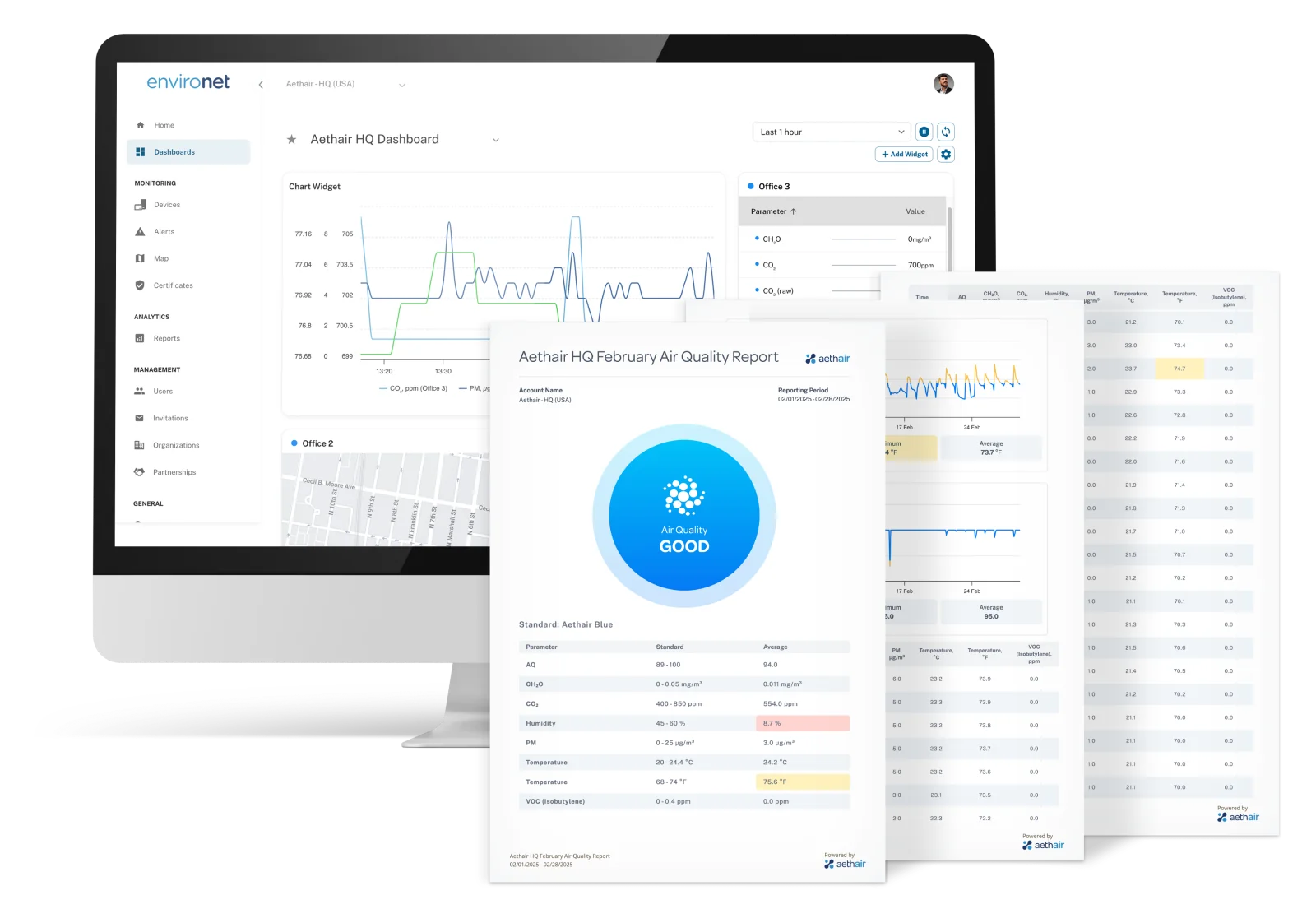
A report is generated from the data already in Environet, not assembled from spreadsheets.
Audit-ready by design
Every report states the standard it applies and the thresholds it used, next to the readings, so it is documentation rather than a raw export.
Your scope
Choose the timeframe, the devices or spaces, and the compliance target: a regulation, a WELL v2 feature, or an internal program limit.
On demand or on a schedule
Run a report when asked, or schedule it daily or weekly to named recipients, windowed to your working hours and days and your time zone, so documentation stays current on its own.
Four ways to share
Downloadable PDF, printed copy, secure online link, or QR code, so regulators, clients, and colleagues each get the form they need.
Exceedances called out
Exceedances and patterns are highlighted in the graphs and tables, and Noesis adds a plain-language summary of what the report shows.
One tool for every program
A hospital's CMS-2567 survey record, a construction fenceline, a fleet of cabins: the same tool, a different template and device group.
Setting one up
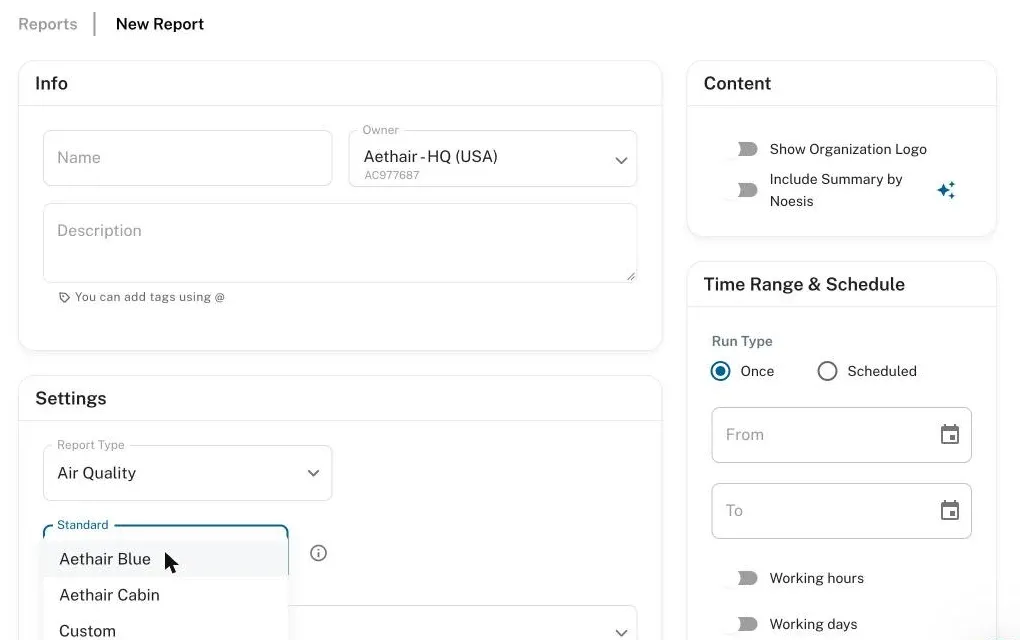
Pick the Standard, the Devices, and the Window
Choose the report type and the standard it is written to (Aethair Blue, WELL v2, cabin air to ISO 23875, the CMS-2567 healthcare codebook, or your own limits), then the devices it covers and the period. Run it once, or schedule it daily or weekly to named recipients, windowed to your working hours and days. A custom standard takes your own limits parameter by parameter, each applied to the aggregation you define: an 8-hour average for an OSHA PEL, say, or a 15-minute average for a dust action level.
On a schedule
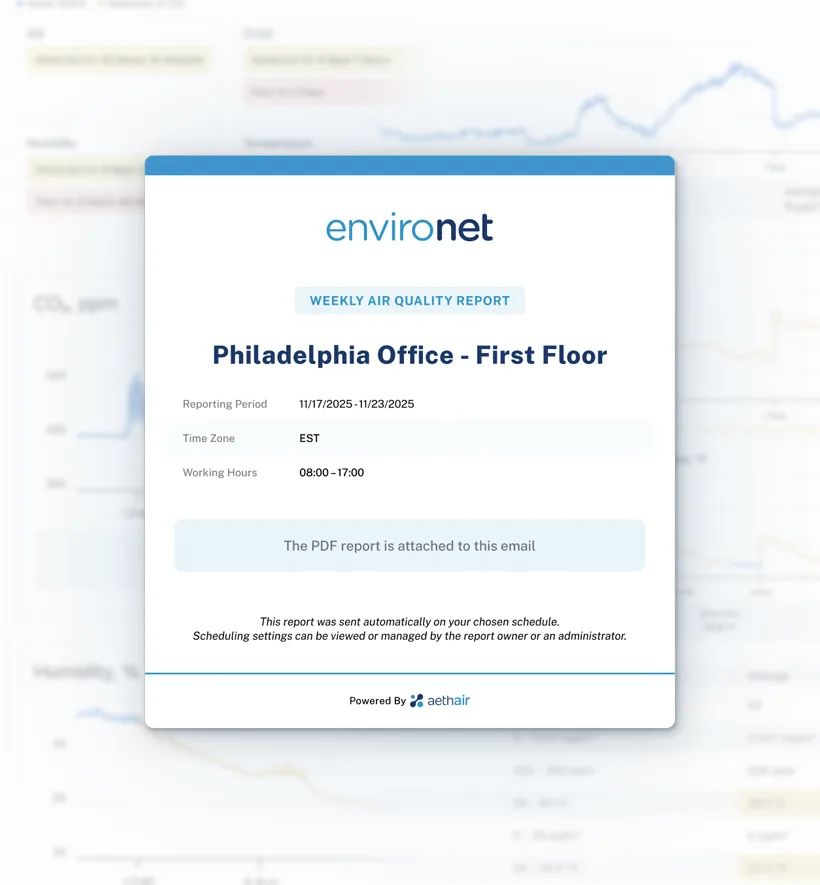
The Report Arrives on Its Own
A scheduled report goes out daily or weekly to the recipients you name, with the PDF attached, for the reporting period, time zone, and working hours set on the schedule. Documentation stays current without anyone running it, and each scheduled report is stored as issued: it cannot be changed afterwards.
What it looks like
Readable Without a Technical Explanation
Graphs, charts, and tables are built in, so trends and exceedances stand out at a glance. See a sample report: a full day of five-minute readings from one Aethair IAQ in an Aethair office, written to Aethair Blue, Aethair's own indoor limit set, which covers CO₂ 400–850 ppm, PM2.5 0–12 µg/m³, humidity 45–60 %, temperature 68–74 °F, formaldehyde up to 0.05 mg/m³, and VOC up to 0.4 ppm, each scored Good, Moderate, or Poor. Noesis closes it with a summary: every pollutant stayed Good, while the room ran warm and dry all day.
Inside a report
Status, Readings, and the Context Behind Them
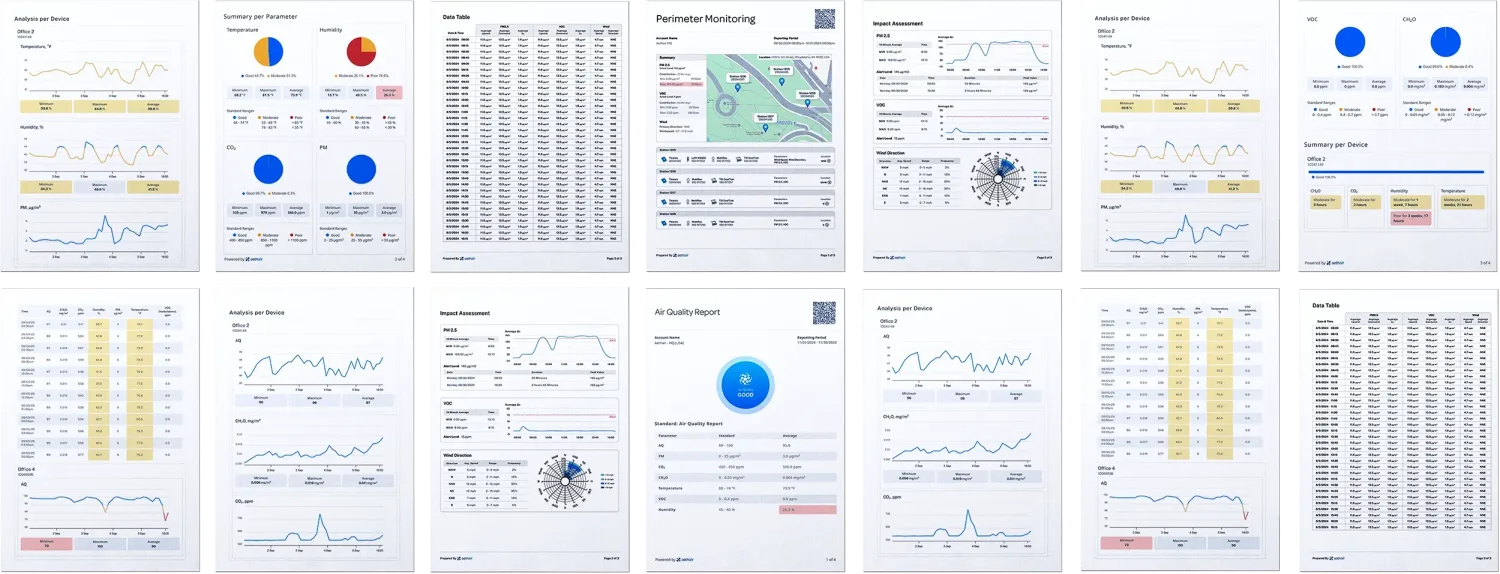
Pages from real reports: an indoor weekly report and a perimeter report.
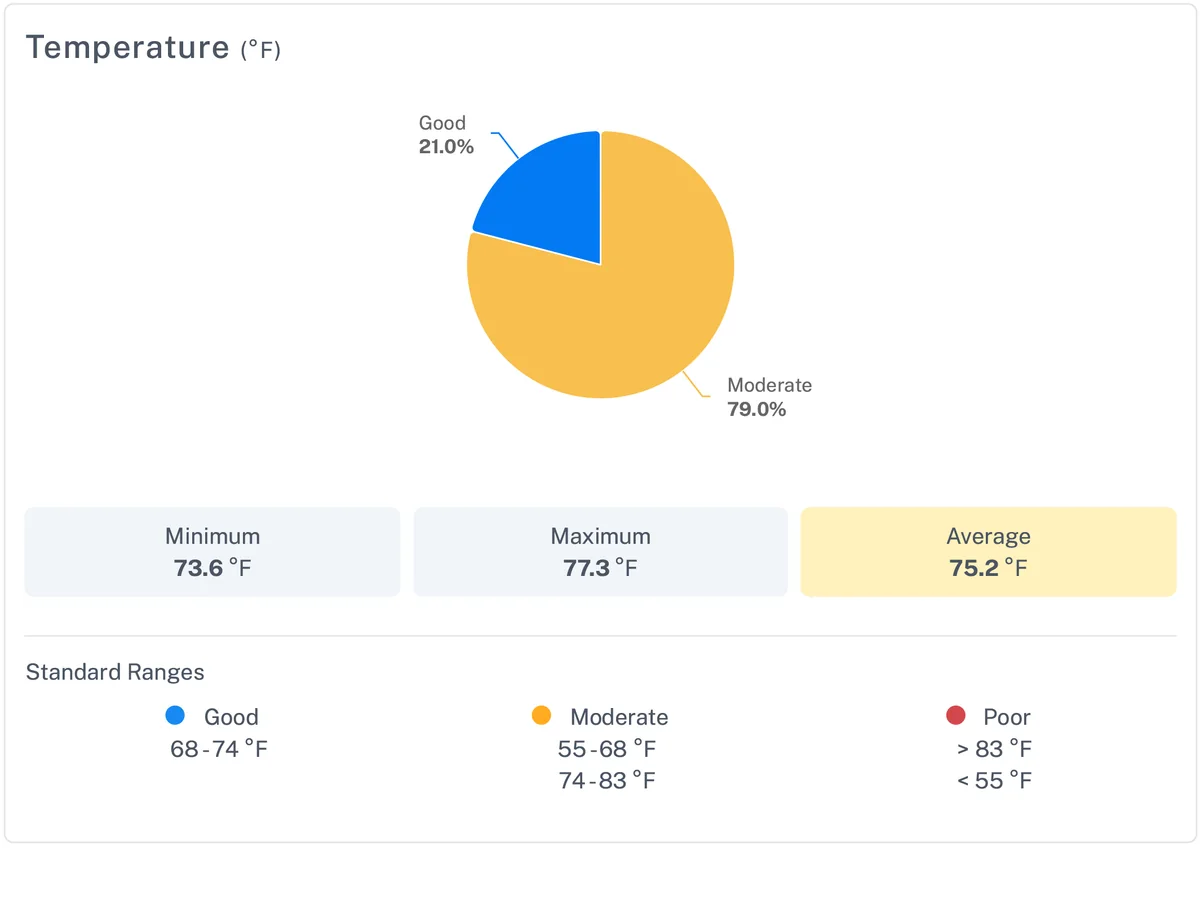
Time in each range
Each parameter's share of time in the standard's good, moderate, and poor ranges, with its minimum, maximum, and average.
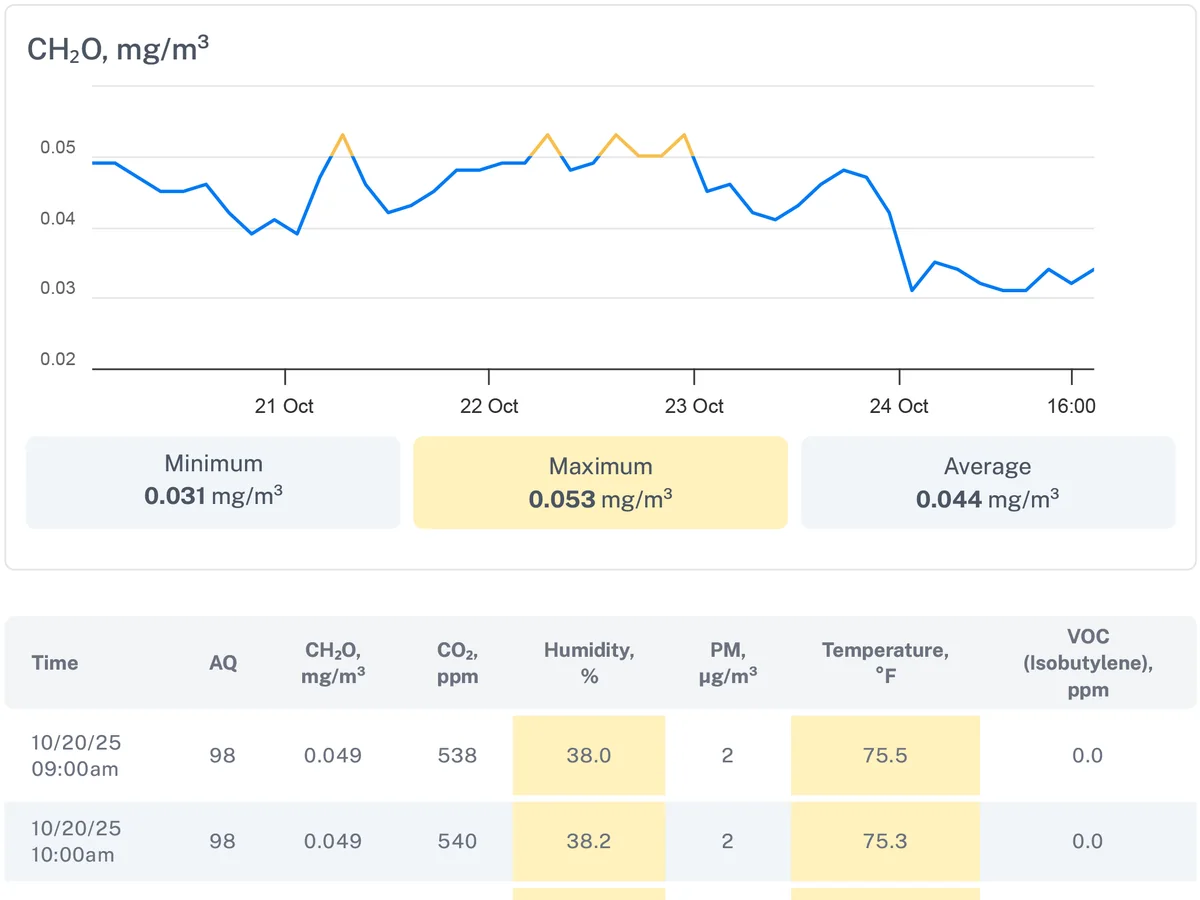
The readings behind it
Every parameter plotted over the period, then the time-stamped readings, with the values outside the standard's good range highlighted.
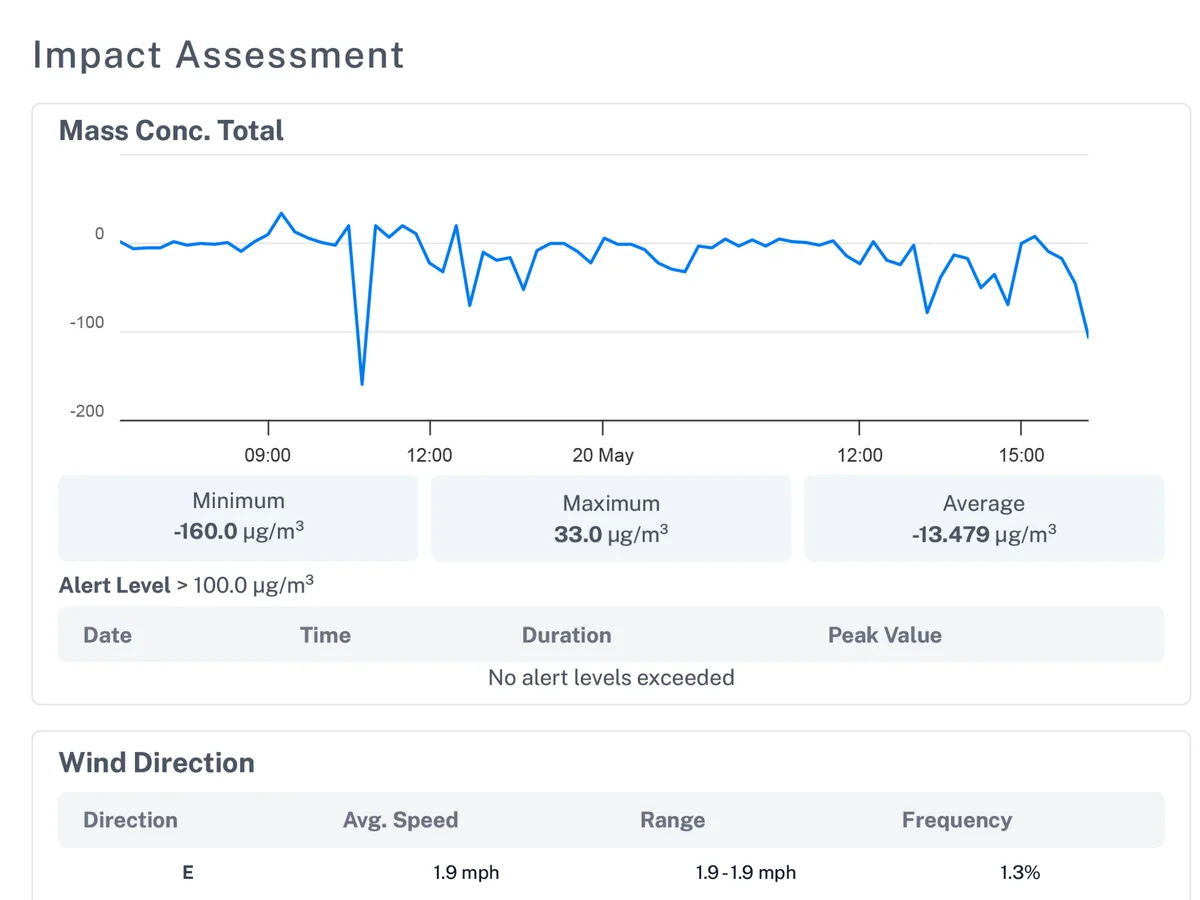
Perimeter impact and wind
For a perimeter report, the impact assessment against the alert level, with the wind by direction and speed over the same period.
Where it is used
Reports for Every Monitoring Program
One tool, a different template and device group for each. Each tile opens its solution page.
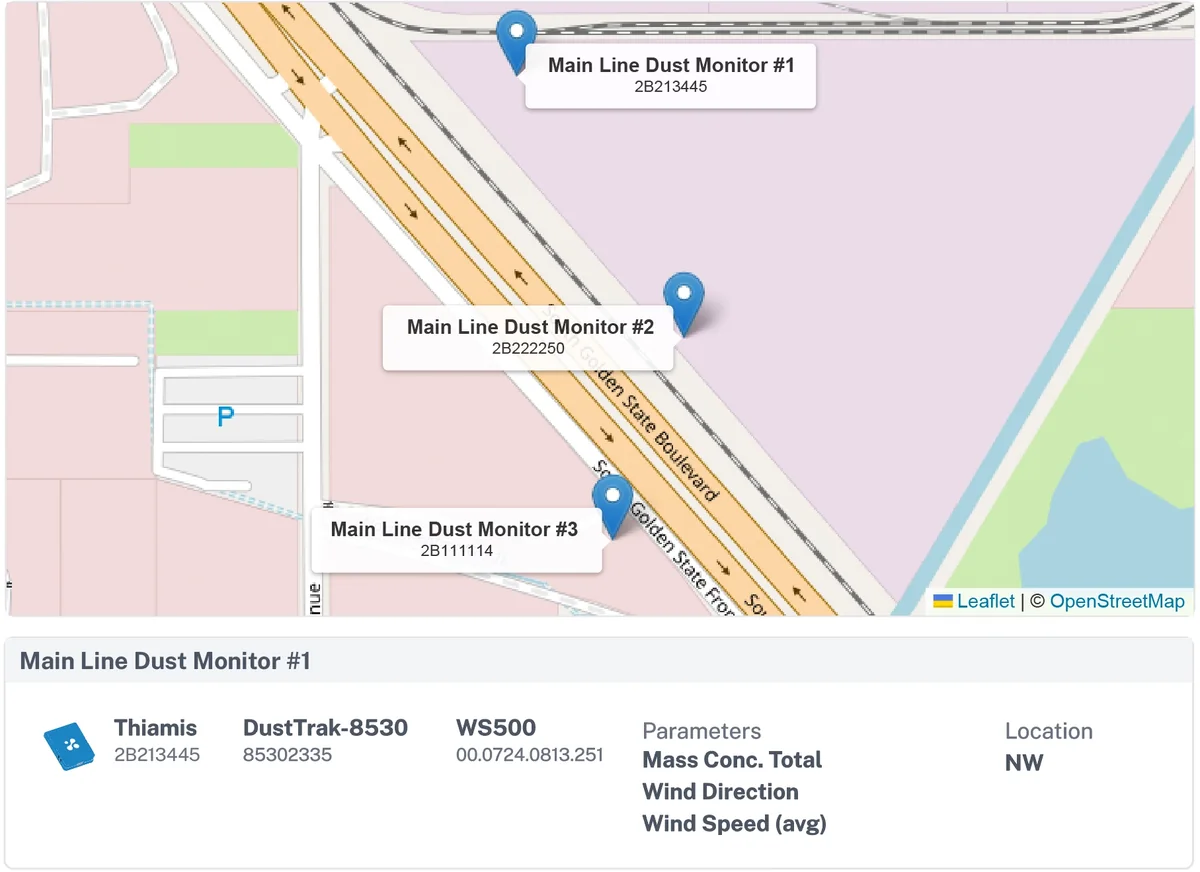
Perimeter Monitoring
Fenceline reports for compliance, community, and operational oversight, with real-time alerts and Noesis analysis.
Indoor Air Quality
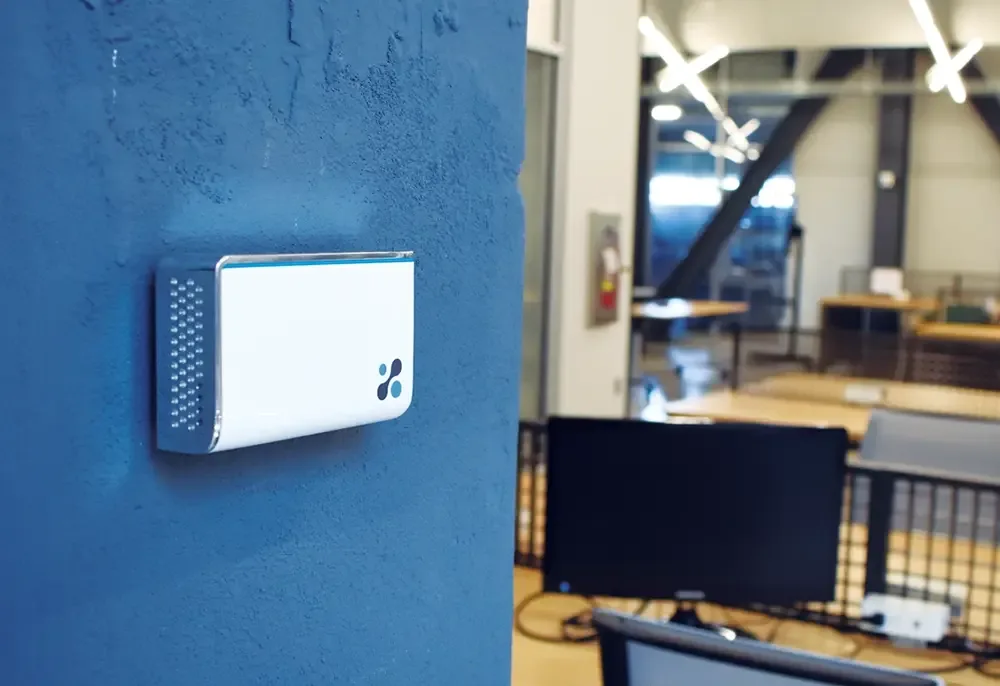
WELL v2 reporting, and internal ESG or program targets, for offices and buildings, from Aethair IAQ and Aethair PRO readings.

Cabin Air Quality
Fleet-wide cabin monitoring reported to ISO 23875, with alerts and Noesis insight.
Article Library
Reading on Compliance Reporting
Guides on turning monitoring data into the reports regulators and auditors ask for.
How to Generate Air Quality & Compliance Reports
Learn how to generate air quality and environmental compliance reports from monitoring data, plus how automated and AI air quality reporting work.
EHS Compliance Reporting Guide: Defensible, Audit-Ready Data
EHS compliance reporting needs defensible, audit-ready documentation. Build a workflow that holds up to OSHA and EPA audits and NAAQS benchmarks.
ASHRAE 170 Requirements and Which Edition Applies to You
ASHRAE 170 requirements explained: what the standard sets, which edition your facility is held to, what changed in 2025, and how each value gets verified.
Questions
Aethair Reports FAQ
Which data goes into a report?
Which standards can a report document against?
How is a report different from an API export?
Can a report be changed after it is issued?
Put Your Data in a Report
Schedule a callSee a sample report Access on Environet Compliance standards
A 30-minute call: you tell us about your application, then we demo the solution for it.